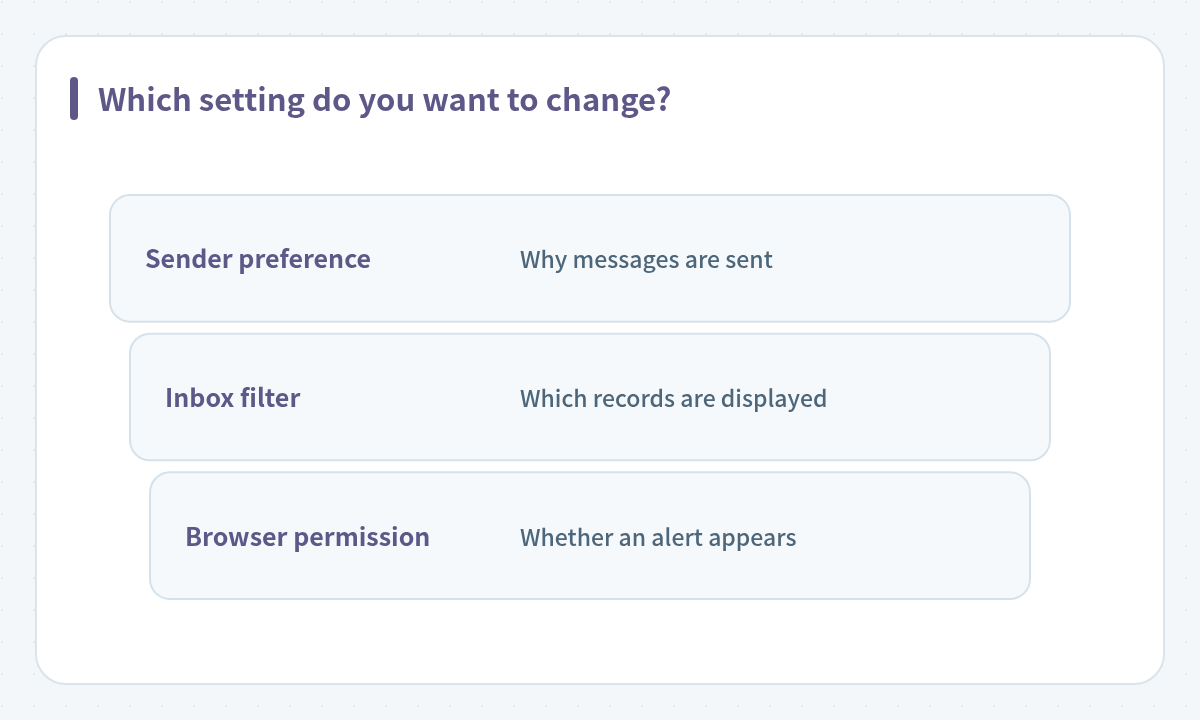
Silencing a browser, filtering an inbox and changing a sender’s contact preference affect different things. Identify whether you want fewer interruptions, a different view or an end to an optional message category.
Receiving and announcing are different activities
The receiving service can record an incoming text even when the browser does not show a desktop alert. A quiet computer therefore does not establish that a subscription has ended. Equally, an alert disappearing from the screen does not prove that the underlying message was deleted.
Inbox filters operate at another level. Hiding a sender, selecting a folder or viewing only unread records may change the list without changing what the sending business does. If the objective is to stop an optional category of messages, inspect that business's documented preference controls rather than treating a filtered list as an unsubscribe result.
Change the preference that matches the purpose
Make a short distinction between operational information you still require and optional communication you no longer want. An account may have different settings for order updates and promotional messages, but the available categories depend on the actual service. Do not assume that every sender offers the same controls or that one setting covers all related brands.
Use an independently known account entry point to review those settings. An unexpected text offering a convenient opt-out link should not be trusted merely because it arrived at your usual number. If you cannot identify the sender, avoid replying with account information while attempting to remove yourself from a list.
Where a sender documents a text-based opt-out method, follow the documented scope and instructions. Do not assume the receiving number can send a reply at all, or that the sender address accepts replies. A number receiving a message and an interface supporting outbound texts are separate capabilities.
Keep a record of the actual change
Note which preference was changed, for which account or service, and when. A screenshot can help if it contains the necessary setting without unrelated private information, but there is no need to preserve every message. If the service describes a processing period, keep that information with the change rather than inventing an immediate cut-off.
When another text arrives, compare its purpose and business context. It may relate to an earlier event, a different account or a category that was not changed. That is a question to investigate, not automatic proof that the preference system has ignored you.
Do not repeatedly switch settings back and forth just to test them. That can obscure the sequence of changes and make it harder to explain what outcome you expected. Make one deliberate change, keep the confirmation where available, and evaluate subsequent relevant messages against it.
Check whose preference you changed
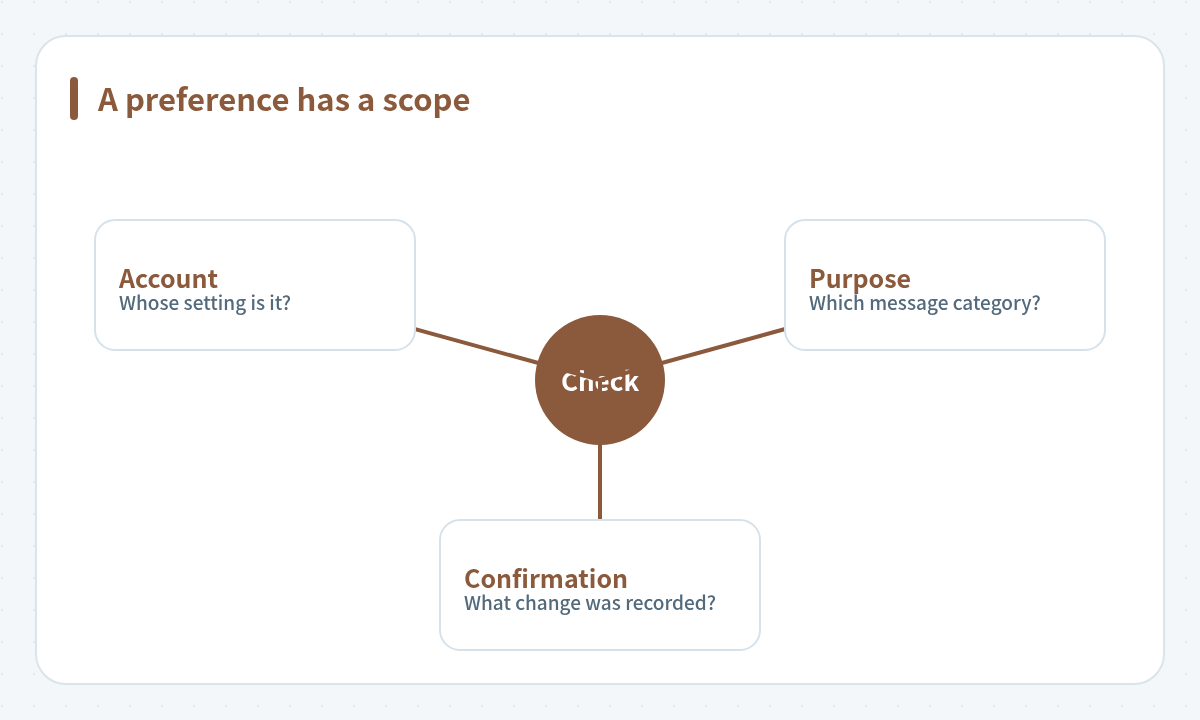
A number can be associated with more than one legitimate account or business relationship. Changing preferences for one account does not establish that another account has changed, even if both use the same destination. Match any confirmation to the intended account before assuming the work is finished.
On a team, the person changing a setting should also be authorised to change that communication. Muting their own browser is different from stopping operational messages for everybody. Record the scope so that a colleague does not interpret a personal display choice as a team-wide decision.
Check the scope before interpreting another text
After a change, compare the next message’s service, account and purpose with the setting you changed. An order update is not necessarily the promotional category you disabled, and another account may have separate preferences.
Keep the confirmation and any documented processing period. Do not reply to an unfamiliar sender with account details, or assume that a receiving-only number can use a text-based opt-out.
Quieting the device can still be useful
If the messages are needed but the interruptions are not, review the specific site's browser notification permission and the device's relevant alert settings. This is a display decision. Check the inbox through its ordinary interface so that suppressing alerts does not silently become a plan to ignore time-sensitive work.
For a shared operational inbox, agree how someone will notice new work when alerts are muted. An unread badge, scheduled check or existing task workflow may help, depending on the actual environment. There should be a deliberate owner rather than an assumption that everybody else's browser will make a sound.