
An archive entry's filename should not decide where an SMS import writes on the server. Validate entries and destinations in an isolated temporary area, rejecting unsupported paths and conflicts before processing approved content.
An archive is an input container
A reusable browser text inbox import may accept a compressed history file under its own contract. Inspect parent-directory components, absolute paths and platform-specific separators using the actual library and filesystem rules. Removing one suspicious-looking substring is not a complete destination check.
Python's zipfile documentation warns that untrusted archives require inspection before extraction. Verify what the chosen version and entry point actually do. A familiar library name does not establish that every interface applies the same protections or that the application's surrounding storage design is safe.
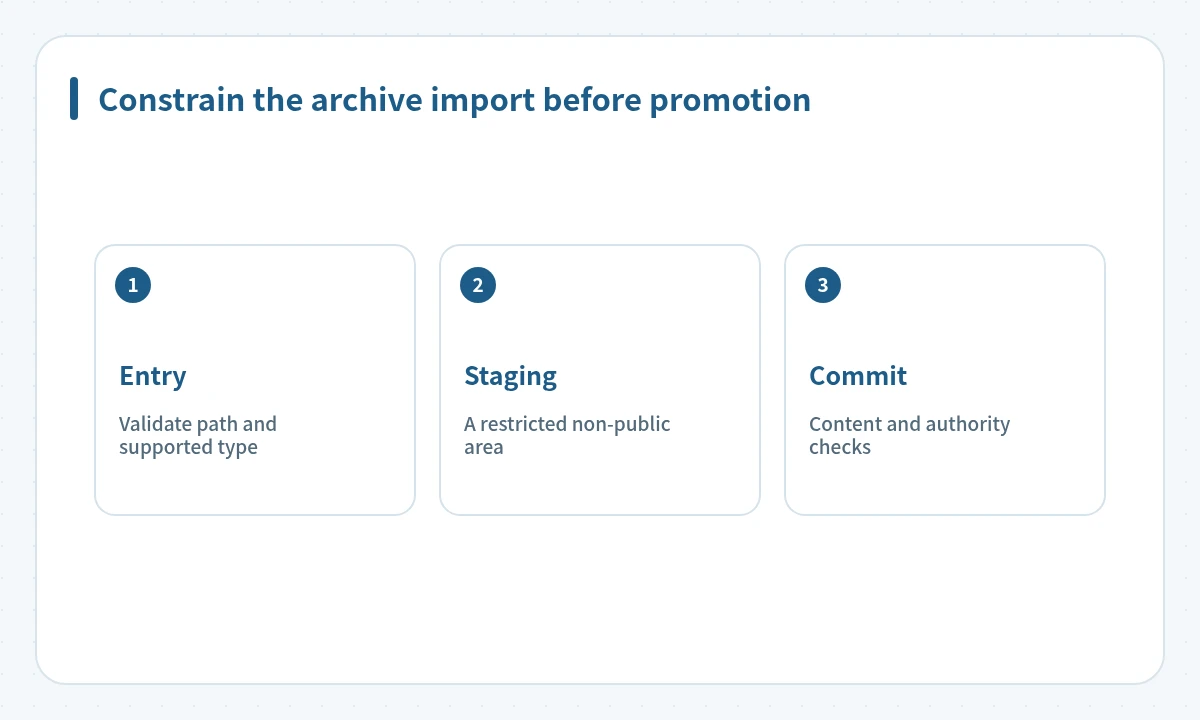
Enforce the destination at the write boundary
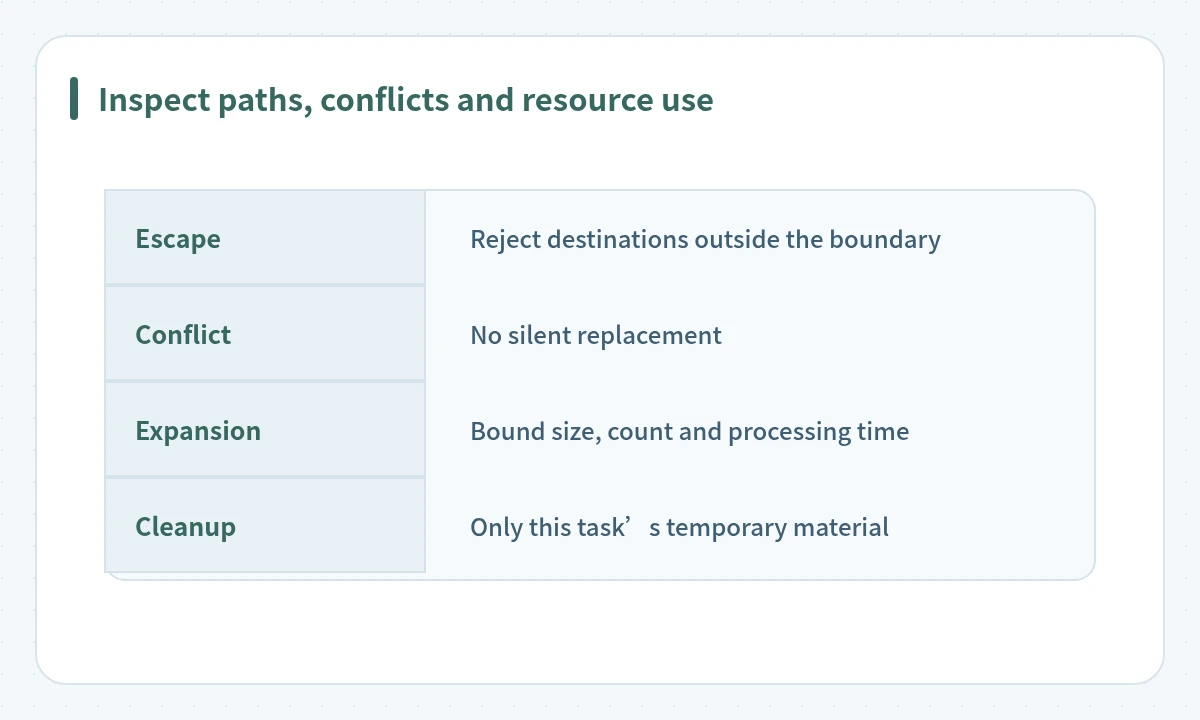
Use a restricted temporary area that is not served as executable public content. Confirm that the resolved destination remains inside the allowed scope. Links, duplicate names and case conflicts need explicit handling under the platform and import contract rather than silent replacement of existing files.
| Entry property | Review |
|---|---|
| Path | The actual write stays in the allowed area |
| Type | Only the needed ordinary data files |
| Size and count | Bounded expanded resource use |
| Conflict | No unexplained overwrite or merge |
A small compressed file can require much more space or work when expanded. Bound actual expanded size, file count and processing time. Failure cleanup should remove the task's own temporary material without a broad deletion rule that can reach another task or directory.
Validate content after extraction
A file labelled message history is not proof of valid records or authority to import them into the current account. Apply the import's format, source and resource checks after the archive boundary. Extraction should not automatically publish files, execute content or bypass the normal review and commit process.
Keep the archive reference related to the approved import input. If entries are rejected, report their limited names and reasons through an authorised view. Do not conceal an incomplete import behind a generic extraction-success message.
Keep successful extraction separate from promotion into durable storage. A reviewed staging area can be discarded without changing the live collection if validation fails. Where the design supports a later commit, bind it to the approved input and current resource authority. Do not let a temporary entry path become the permanent record identifier merely because the archive supplied it; preserve the source relationship through the importer’s supported mapping.
Rehearse with harmless archives
In an authorised isolated environment, cover ordinary entries, out-of-scope paths, duplicate names and exceeded limits. Observe rejection and cleanup. There is no need to probe someone else's system or attempt writes to a real private server directory to check your own handling.
Record the task reference, rejection category and necessary entry information without exposing private message bodies. Continue accepted files through the supported preview and submission workflow. The aim is a bounded data-import operation whose results can be explained, rather than trusting a package's directory structure as an instruction about where the application may write.
