
After requesting cancellation, query the system that owns the schedule. A changed button, removal of a local task and cancellation at the provider can describe different states.
Find the object that owns the schedule
An application may keep a future task in its own scheduler, or it may already have submitted a scheduled message to a provider. Removing the local task is insufficient if an independently scheduled provider object remains active. Conversely, a local draft might never have created a provider message at all.
Twilio documents a cancellation state for scheduled messages through its Messaging Service workflow. That is a provider-specific lifecycle operation, not a general way to recall an SMS that has already been sent. Read the current endpoint’s supported transition and restrictions before relying on it.
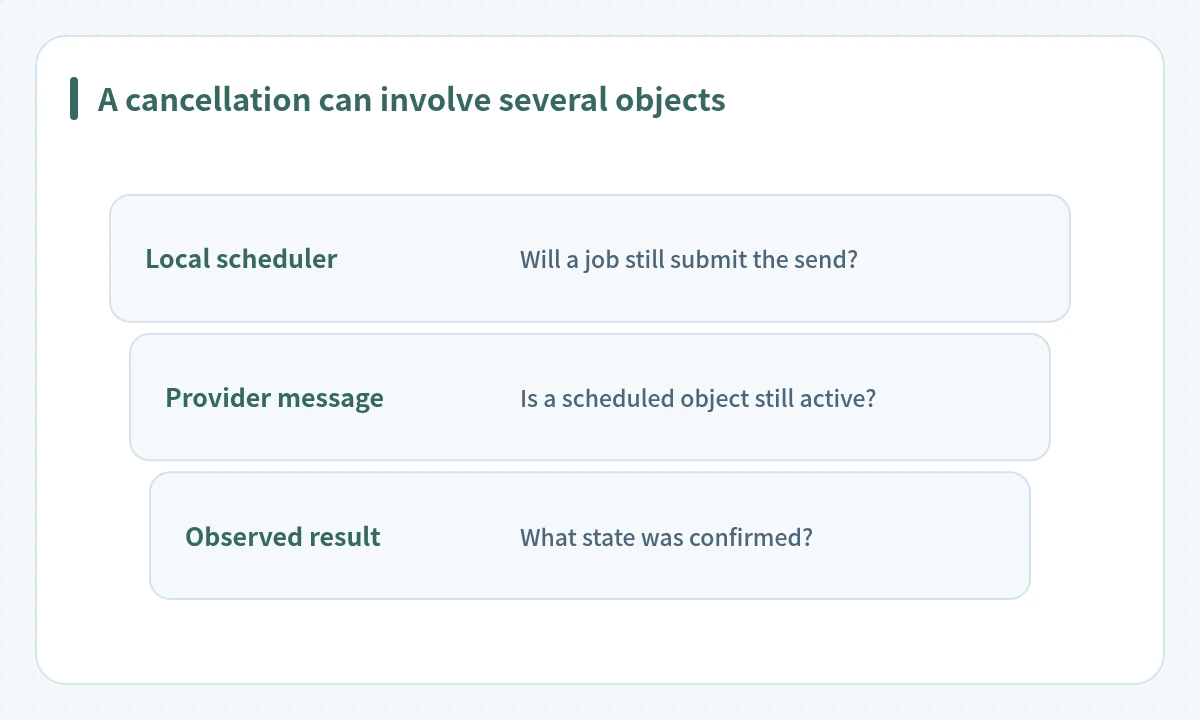
| Object | Question before cancellation |
|---|---|
| Application plan | Will this job still create or resubmit a message? |
| Provider message | Does a cancellable scheduled object already exist? |
| Downstream notification | Has the intended send already progressed beyond scheduling? |
| Operator record | Which exact task and resource were cancelled? |
Use stable identifiers rather than matching a destination and approximate time alone. Two legitimate reminders can have the same recipient and similar text. Cancelling the wrong one can be harder to notice than a failed cancellation request.
Handle uncertainty near the sending time
There can be a race between a cancellation request and the scheduled operation progressing. Query the documented authoritative state after requesting the change. If the result is unclear, report it as unclear rather than displaying a reassuring confirmation based only on the click.
A timeout also needs a status check. Repeatedly issuing cancellation requests without inspecting the object may obscure the timeline, while assuming failure can cause someone to schedule a replacement unnecessarily. Follow the provider’s supported query and retry procedure.
Test both scheduling layers
In an isolated environment, use harmless fixtures for a local-only job, an accepted provider schedule and an already progressed message. Verify the allowed outcomes at each boundary. A test should not send real reminders to customers just to see whether a last-second cancellation succeeds.
After a confirmed cancellation, check that the application will not recreate the same schedule from a recurring rule. A single cancelled instance and an active repeating plan are different objects. The interface should explain which one was changed, using the actual feature set rather than implying a universal stop.
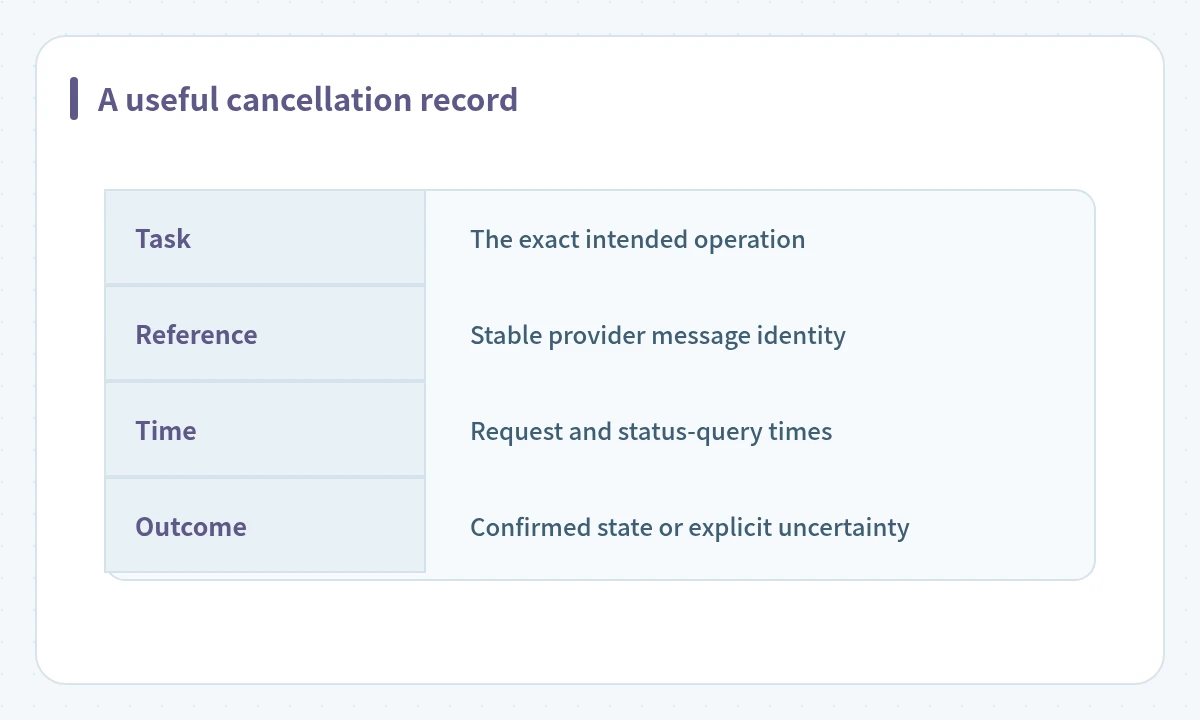
For an operational record, retain the task identifier, message reference, request time and final observed state. Keep private body content out unless it is necessary for the authorised investigation. If the message was already sent, use the business’s normal correction process where appropriate; cancellation is not a mechanism for erasing a delivered text from a recipient’s device.
References: Twilio: message scheduling; Twilio: Message resource states.
