
Before requesting User Interviews verification codes, check whether the required profile fields are complete. The participant signup guide says missing information can prevent phone verification. A disabled action does not necessarily indicate a carrier-delivery problem, and refreshing cannot supply details the form still needs.
Establish whether a request was actually sent
Inspect the profile for unanswered required fields, formatting notices, or changes not yet saved. Typing information is not the same as the form accepting it. Return to the relevant section and check what remains stored after saving.
If you have not reached a send stage, address those fields first. If the page explicitly says a message was sent to a particular number, then inspect receipt. Separating the stages avoids asking a carrier to investigate a text that was never requested.
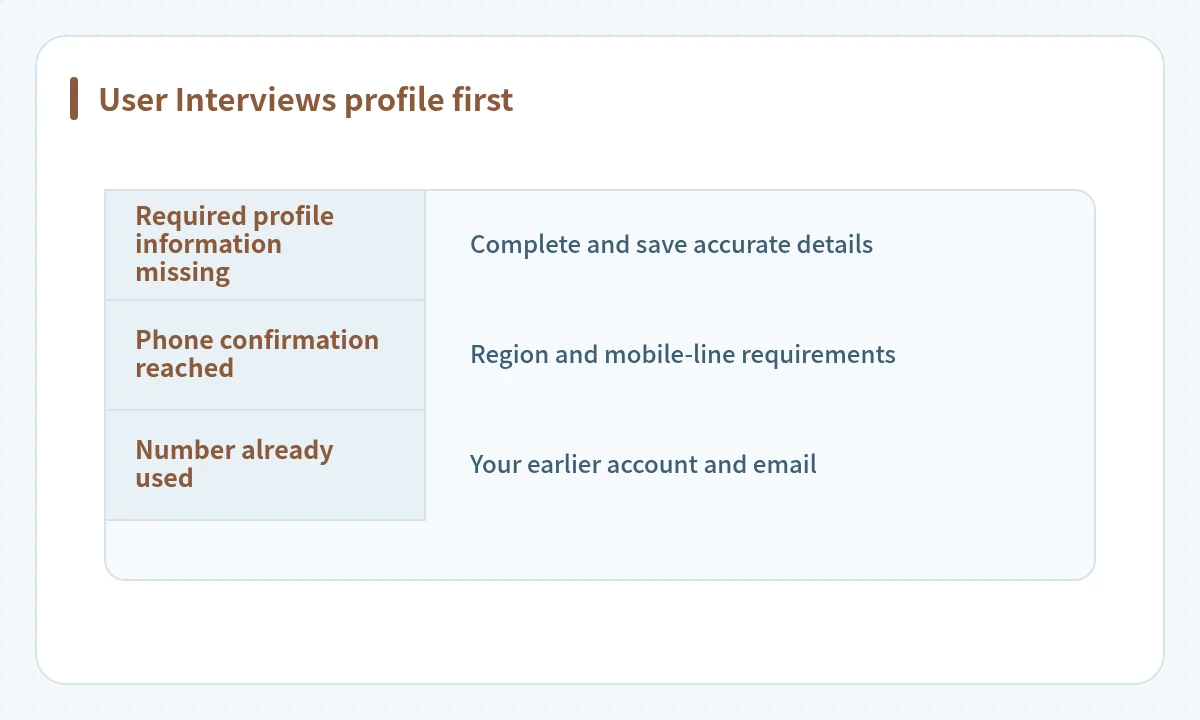
| Page state | First check |
|---|---|
| Required profile information missing | Complete and save accurate details |
| Phone confirmation reached | Region and mobile-line requirements |
| Number already used | Your earlier account and email |
Email does not replace the required phone resource
User Interviews' current help requires a mobile number and excludes landline, Wi-Fi, and VoIP numbers for verification. It does not allow email to substitute for this step. Check the current supported-country information instead of assuming that website access establishes text availability in every location.
Before entering the number, compare the country selection and line you control. After a SIM change, the phone in your hand can use a number different from the one on the account. Follow the destination displayed by the request, rather than taking an unrelated notification on another line as its result.
Keep personal background information truthful while completing the profile. An answer that seems likely to obtain more invitations is not a correction unless it describes your actual circumstances. This also helps you give consistent information if a later study asks about the same experience.
An already-used number may belong to your earlier identity
The official guide says this usually points to an existing account, possibly under another email. Check addresses you used before and your login records. Do not immediately delete an established identity or create more accounts merely to make the warning disappear.
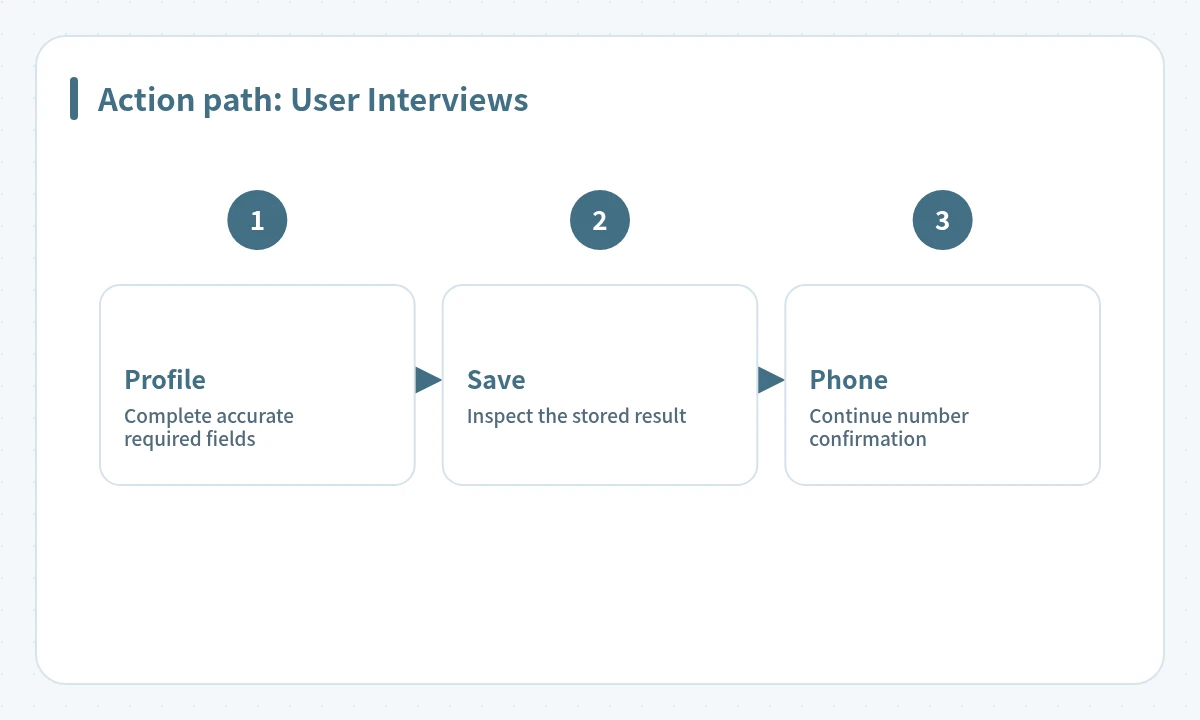
For help, explain whether the profile saved, whether the send button appeared, and whether the number was rejected before sending or no message appeared afterward. Redacted screenshots can show a concrete prompt without exposing codes, a full address, or unnecessary work information.
After activation, apply to research that fits your real background. Selection by a researcher is separate from a successful phone check. A quiet opportunity list does not justify repeating a completed verification task or modifying answers to promise yourself acceptance.
When the same warning persists after a saved correction, record what changed and what did not. Support can then distinguish a profile issue from the phone stage without asking you to reconstruct every attempt from memory. That evidence is more useful than a series of repeated requests with no clear starting point.
References
User Interviews: Profile completion and participant phone verification
