
A burst of unexpected verification texts does not by itself prove an account was entered. Check the relevant account through a trusted entry point before sorting or deleting the requests.
Possible explanations include mistaken contact details, delayed requests or an attempt to use your account. The texts alone may not distinguish them. Do not call a number or follow a login link in an unexpected message to find out which explanation is true.
Separate your own request from the burst
If you were signing in, pause and identify the exact account and action you initiated. Do not try every incoming code until one works. Stop any requests you no longer need, while keeping a usable session where possible. A sudden volume of messages is not a reason to relax your normal checks.
Microsoft’s verification-code help lists several possible causes for unrequested codes and advises against responding to codes you did not request. Its guidance also warns that excessive repeated requests can lead to blocking. These are reasons to investigate carefully, rather than generate more traffic as a test.
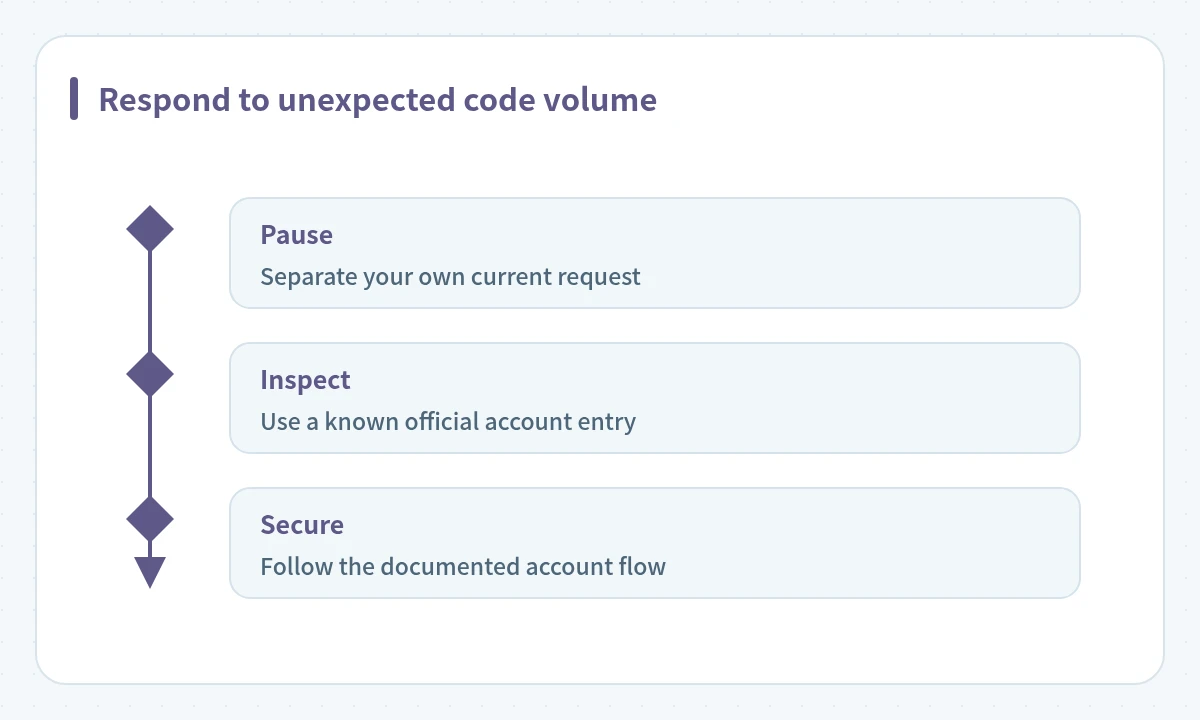
Open the account independently
Use a known bookmark, the official application or an address you already trust. Review the account’s available activity and security controls. Where the records are provided, inspect successful sign-ins, recovery changes and currently authenticated devices. Record any unfamiliar event with its date and the action shown.
Where the service offers controls for sessions, recovery details or authentication methods, follow its documented process. If something has changed without authorisation, use the official account-recovery or security flow. Do not provide a code, password or recovery key to a person who contacts you claiming they need it to stop the messages.
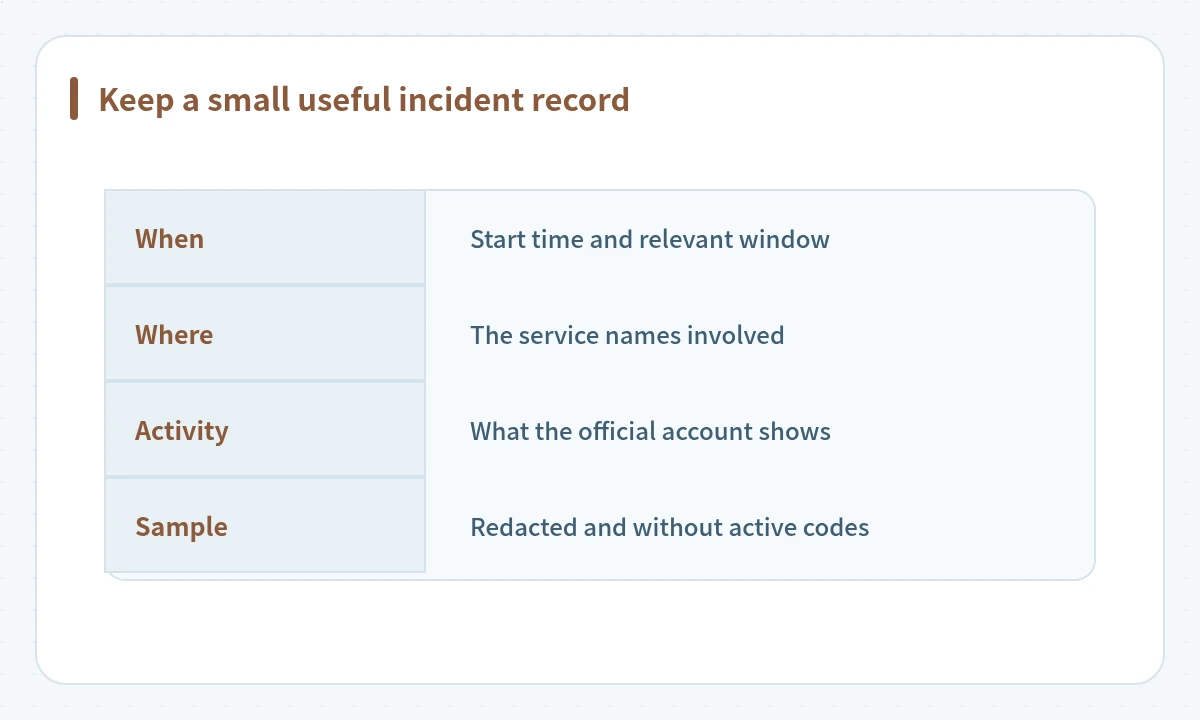
Preserve a small incident record
Write down when the burst began, which service names appeared, whether you had a current request and what the official account activity showed. A few redacted examples may be enough for a support enquiry. There is rarely a reason to export the entire inbox, including unrelated personal messages, just to report message volume.
| Observation | Useful response |
|---|---|
| Only unrequested codes are visible | Check official account activity without sharing the codes |
| An unfamiliar successful sign-in is shown | Use the service’s security and recovery procedures |
| Contact details changed unexpectedly | Report the change through a trusted official route |
| No matching account can be identified | Do not probe someone else’s account to investigate |
Once immediate account checks are complete, consider how to reduce distracting alerts without hiding important events. Muting the browser can reduce noise, but it does not stop requests at the source. A filter can also conceal later messages you need to see. Understand the scope before applying either measure.
Do not publish screenshots containing active codes to ask whether the burst is suspicious. The people helping you need the pattern and the relevant account state, not the authentication material. Keep the investigation focused on access you actually control and evidence the official service can interpret.
Reference: Microsoft Support: verification-code issues.
