
Tokopedia verification codes requested through WhatsApp may need to be read on the WhatsApp primary device. If a linked computer shows only a passcode notice, check the registered phone. WhatsApp's own help describes this restriction for other apps' security codes, which is different from an SMS failing to reach the line.
First establish which channel you selected
Tokopedia's official 2024 seller guide illustrates SMS and WhatsApp verification choices. Treat that as documentation of the channel distinction, rather than a promise that every present account or region displays the same buttons. The active page determines what is available for your request.
If you chose SMS, inspect the associated number's text list. If you chose WhatsApp, inspect that account in the appropriate application. Both channels may refer to the same phone number without placing the message in the same inbox or delivering it to both locations.
| Current clue | Where to inspect |
|---|---|
| SMS selected | The number's text-message list |
| WhatsApp selected | That account's primary device |
| Notice on a linked device | The phone used for WhatsApp registration |
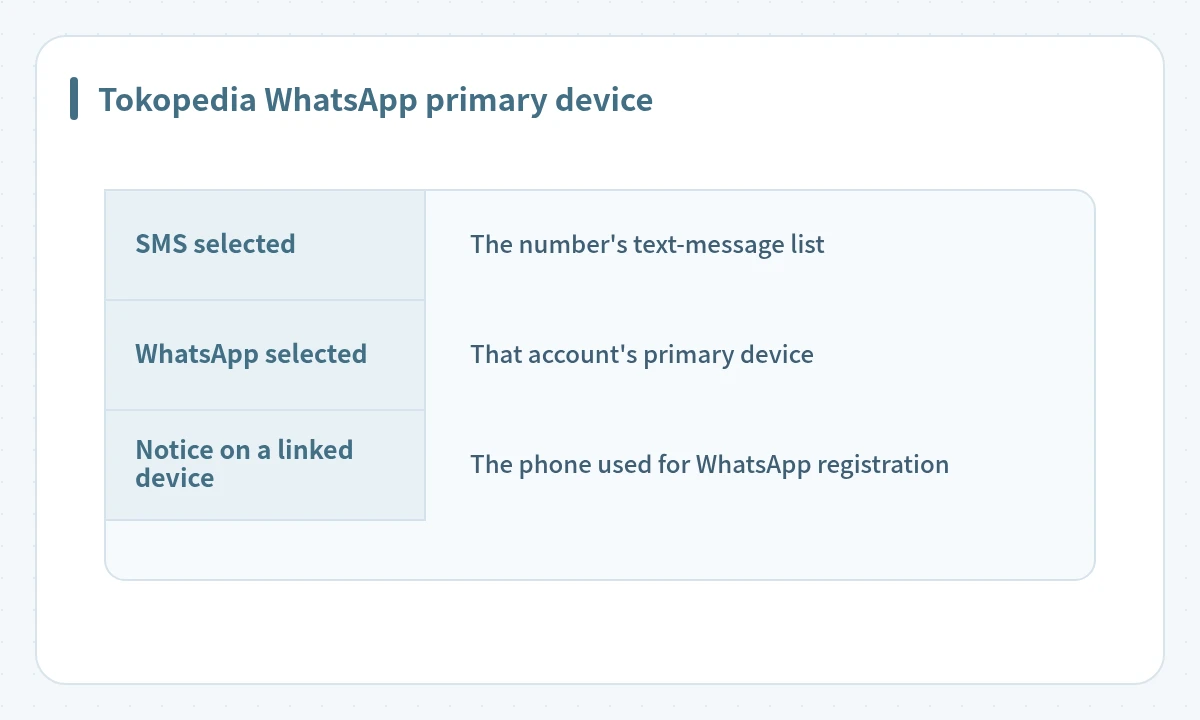
A linked conversation is not a primary-device display
Identify the phone used to register WhatsApp, then check its network and app state. Ordinary conversations appearing on a computer do not establish that every security value can be shown there. A notice directing you to the primary device is not resolved by repeatedly refreshing the computer window.
If nothing appears on the primary device either, review WhatsApp's current connectivity and version checks, then return to the requesting application to inspect its state. Do not forward account messages to somebody else or hand over the account in an effort to make a hidden value visible.
On a multi-phone setup, establish which WhatsApp identity is open before diagnosing delivery. A second device can have a different account, and a familiar display name is not enough to show that it controls the number used in your current request.
Continue in the task that produced the message
Read the value and return to the official Tokopedia page where you requested it. A seller-chat message claiming to contain a verification value is not a substitute. An account-access code is also not something a transaction partner needs to see as proof that you are a genuine buyer or seller.
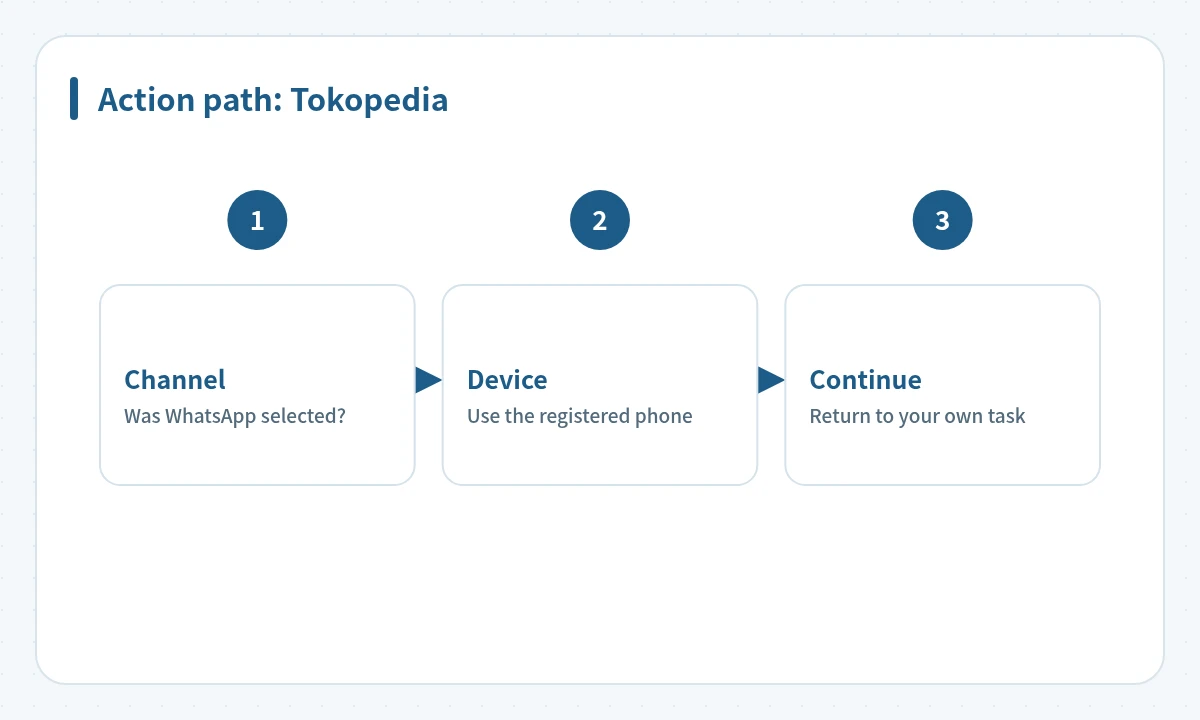
If you changed channels or requested again, compare the active page with message timing. Explain the selected channel, device inspected, any primary-device notice, and the resulting error when seeking help. Do not publish the actual value.
This process answers where to read a message; it does not establish eligibility for a particular line type or replace another account requirement. Once the code is accepted, inspect the remaining task. A subsequent request for information should be handled on its own terms, rather than continually attributed to how WhatsApp displays the message.
If the primary phone is temporarily unavailable, inspect only the alternatives offered by the requesting service. Do not assume a linked-device notice authorizes another person to receive the value on your behalf.
References
Tokopedia: Official 2024 seller guide; WhatsApp: Other-app security codes and the primary device
