
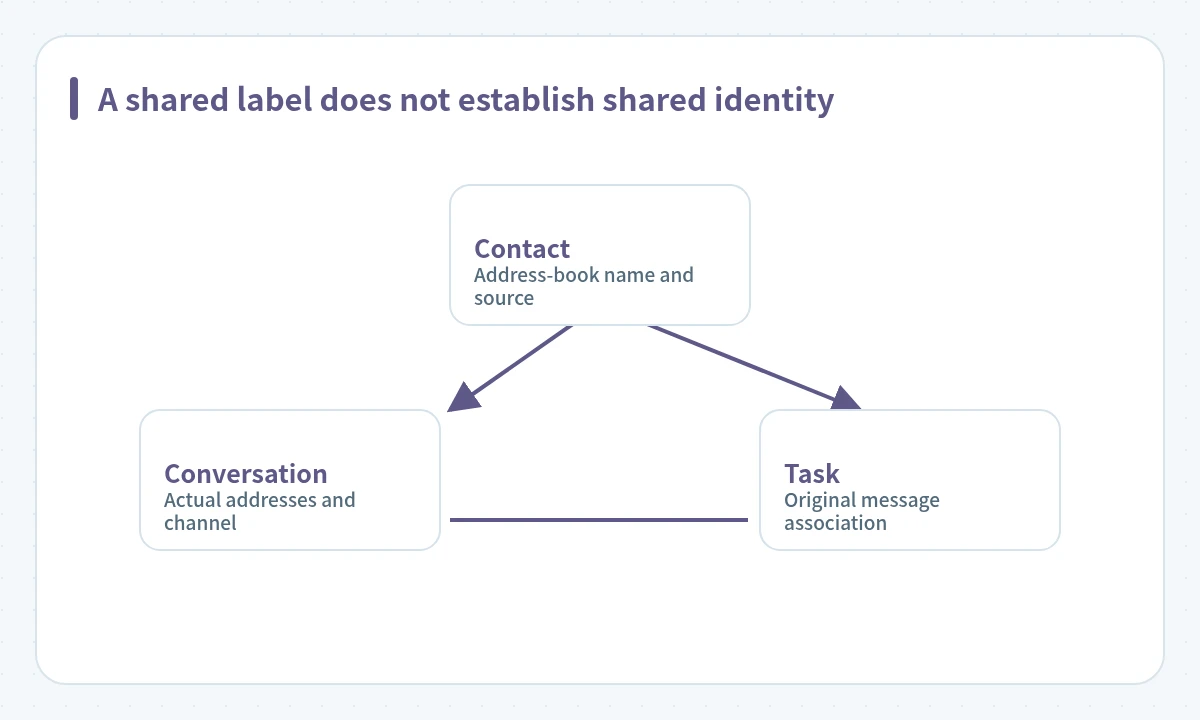
Merging contact cards does not necessarily merge message threads. Check the actual address, channel and account used to group conversations before deleting apparently duplicate records.
A contact card can contain several numbers, and different people can share a name. Display names can also come from different contact accounts or synchronised address books. Establish which source the application uses rather than treating a familiar label as evidence of current ownership.
Google Contacts documents a contact-entry merge feature with account-scope limits. That concerns address-book entries, not the records in an unrelated SMS service. Another product may use different rules, but its own merge operation still needs a clear definition of what changes and what stays separate.
Make a small identity check before cleaning up
For example, one contact card might hold a colleague’s work number and personal number. Bringing those entries together does not make their conversations interchangeable. Check the actual addresses, channel and pending work for each thread. Matching wording also needs a separate identity check: the records could be independent messages or a documented forwarded copy. The display name alone cannot settle that question.
Keep only the information needed for that check. There is no need to copy full conversations into an address-book maintenance sheet. In a team, establish who may change the contact source and whether the change synchronises to other devices. A local cosmetic adjustment and a shared-directory update have different consequences.
A previously correct contact label can also become outdated. Do not use the old name as the sole basis for a sensitive action involving the number. Check current reliable ownership or task information through the service’s normal process, particularly when a resource has been reassigned or a colleague has left.
Check whether the proposed action is a true merge, a linked display or a deletion. Those labels can describe different operations across products. Review the service’s stated result before confirming it, especially if contact records contain notes or separate numbers that still have distinct work purposes.
Verify the result through the ordinary message view
After the merge, reopen the relevant records and compare complete addresses. If name-based search stops finding them, try a supported address or record-identifier query before deciding that messages were deleted. A contact lookup failure is a different observation from a missing server-side message.
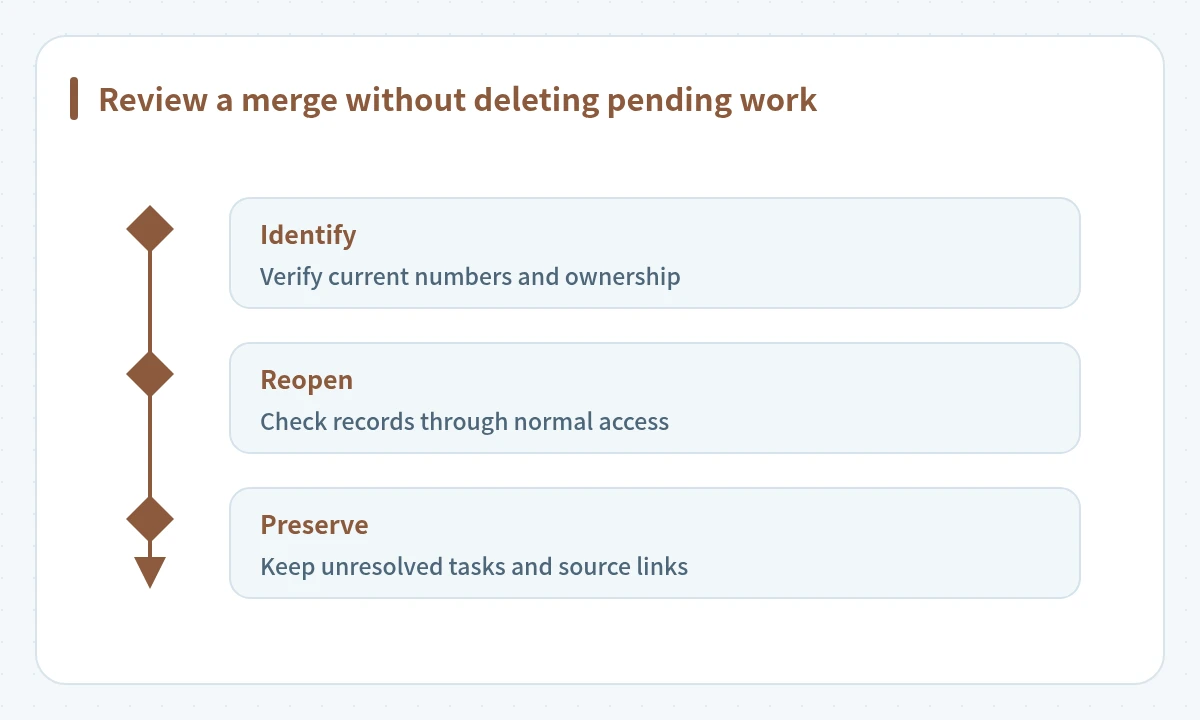
When two addresses use different presentation formats, follow the service’s documented normalisation rules. Removing prefixes until they appear equal is not a reliable comparison. Likewise, changing a contact label must not silently change the recipient associated with an existing business task.
If conversations genuinely need coordinated handling, use the SMS service’s supported feature or an explicit manual workflow. Preserve the original record associations and unresolved tasks. An address book cannot supply a conversation-merge capability that the messaging product does not offer.
For an accidental contact merge, use the address book’s documented undo or recovery mechanism and check the other synchronised devices separately. Before completing cleanup, confirm both that the correct people are labelled and that the pending work still points to the original authorised message context. Those are independent acceptance checks.
Reference: Google Contacts Help: merging duplicate contacts.
