
A record disappearing from a list is not necessarily permanently deleted. Check the service’s definitions of archive, trash, recovery and shared-record effects before reorganising history.
Begin with what the control says it will affect
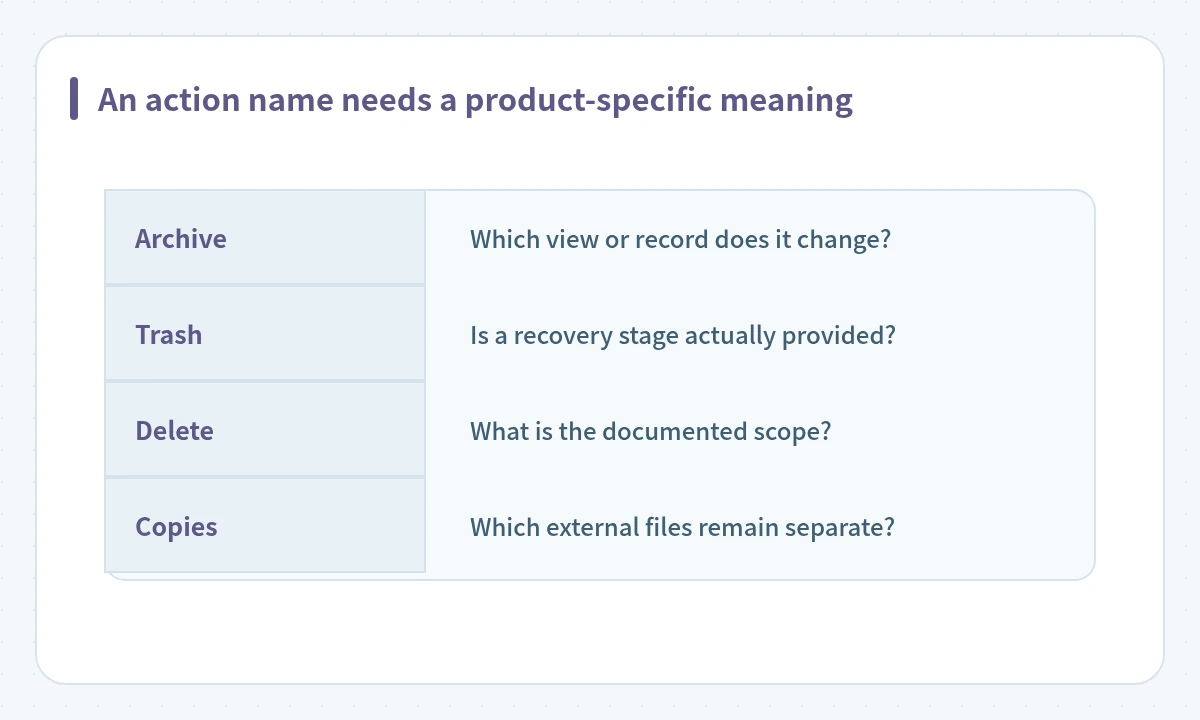
An archive action may organise a view without removing the underlying record; another product may define it differently. A trash folder may have a documented recovery period, or the service may offer no such stage. These are possibilities to verify, not universal features of an SMS inbox.
Check whether the action applies to a selected message, a conversation or every item matching a filter. A checkbox label such as “all” needs a scope. Do not infer that a whole history was selected from the number of rows visible on the current page.
Treat disappearance as an observation
When a record vanishes from the current view, first identify what you asked the service to do. A filter or archive move can change the list without explaining the record’s storage status. Conversely, an item still appearing in an old tab may be a stale view rather than proof that deletion failed.
Use the service’s documented locations and refresh behaviour to check the result. Keep the same account and resource while comparing. Searching another folder without knowing its scope can make the record harder to trace, particularly where several numbers share an interface.
For a permanent action, confirm the selected object and read any explicit warning before proceeding. A backup or export elsewhere is not a reason to delete information you are not authorised to alter.
If the wrong item was moved or removed
Stop repeating the action. Note the affected record’s permitted identifier, the action used and the time observed. Check the actual service’s recovery instructions and any stated time limit through its known help route. Do not promise recovery from a generic guide or assume that changing a retention setting will recreate deleted data.
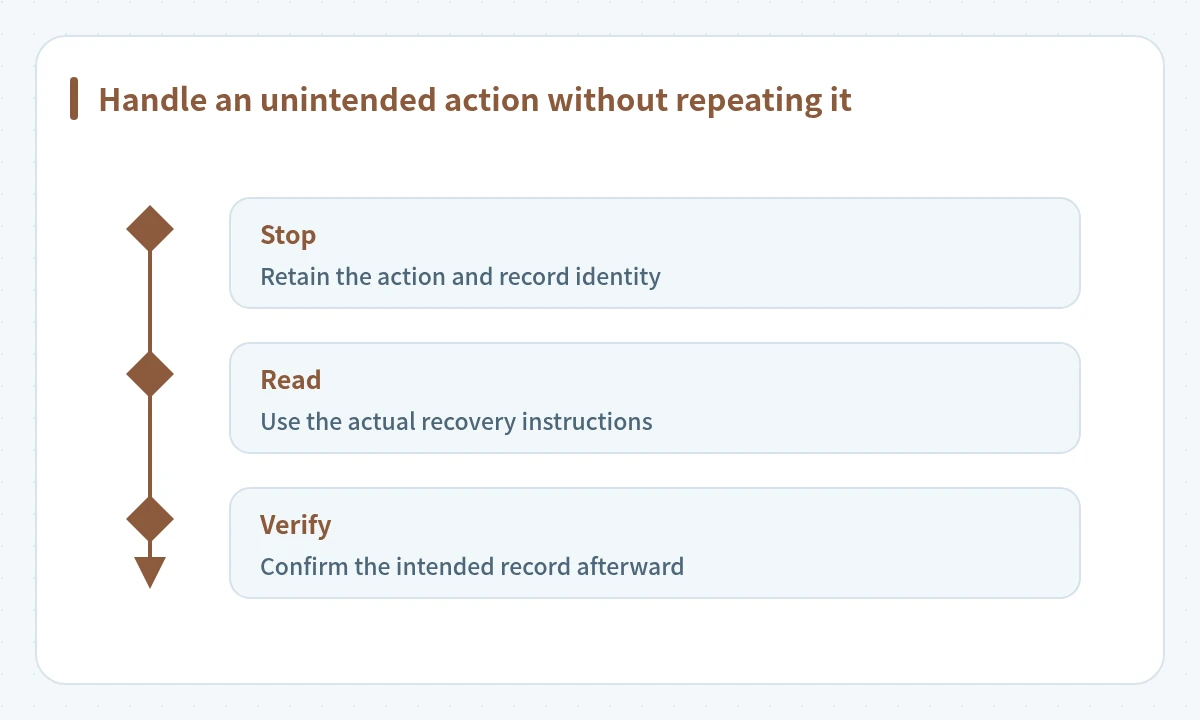
If recovery is supported, use that process and then verify the intended record in the correct resource. Preserve uncertainty where the result cannot be confirmed. A support team may need a precise reference; it does not need active verification codes or unrelated messages in the initial enquiry.
| Question | Where to look |
|---|---|
| What did archive change? | The product’s action and view definitions |
| Can this item be restored? | The documented recovery process and limits |
| What was actually selected? | The action’s object and selection scope |
Copies outside the inbox remain separate
A downloaded file, screenshot or forwarded copy has its own location and audience. Removing the original record does not automatically remove those copies. Manage any authorised retention and disposal separately instead of using the inbox’s empty list as proof that all copies disappeared.
The same separation applies to the business mentioned in the text. Deleting a notification does not cancel an order or undo an account change. Perform those actions through the business’s actual controls when they are needed, and keep the message organisation task distinct from that remote result.
