
Myntra verification codes used for contact updates on Global Malaysia should be matched to the field you are changing. That site's account information describes OTP-based updates, but the current page determines the destination for your request. Do not assume the sequence from an Indian-market tutorial applies unchanged.
Match the regional entry to the original account
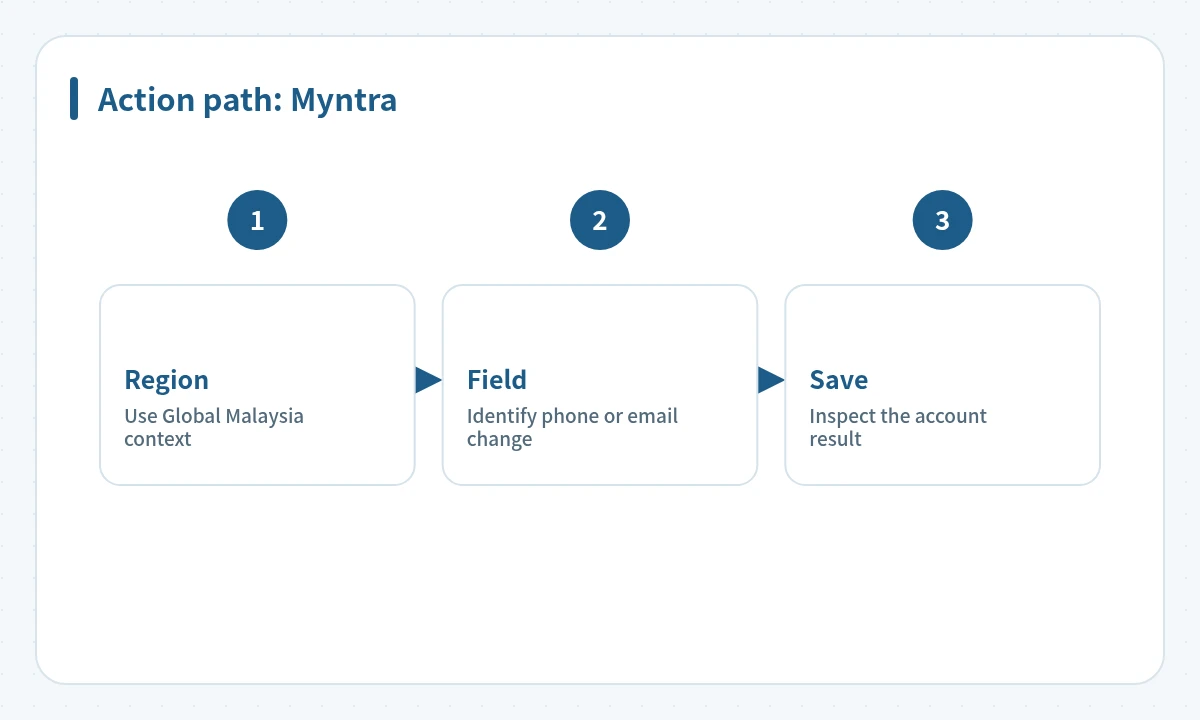
Establish that you are using Myntra Global Malaysia, then compare the sign-in address with your earlier records. The same brand in different markets does not establish identical confirmation options or shared account history everywhere.
If the browser stores several identities, choose the one used for the relevant purchases before changing details. Registering at another regional entry to make a new number appear is not evidence that existing orders will follow the new identity.
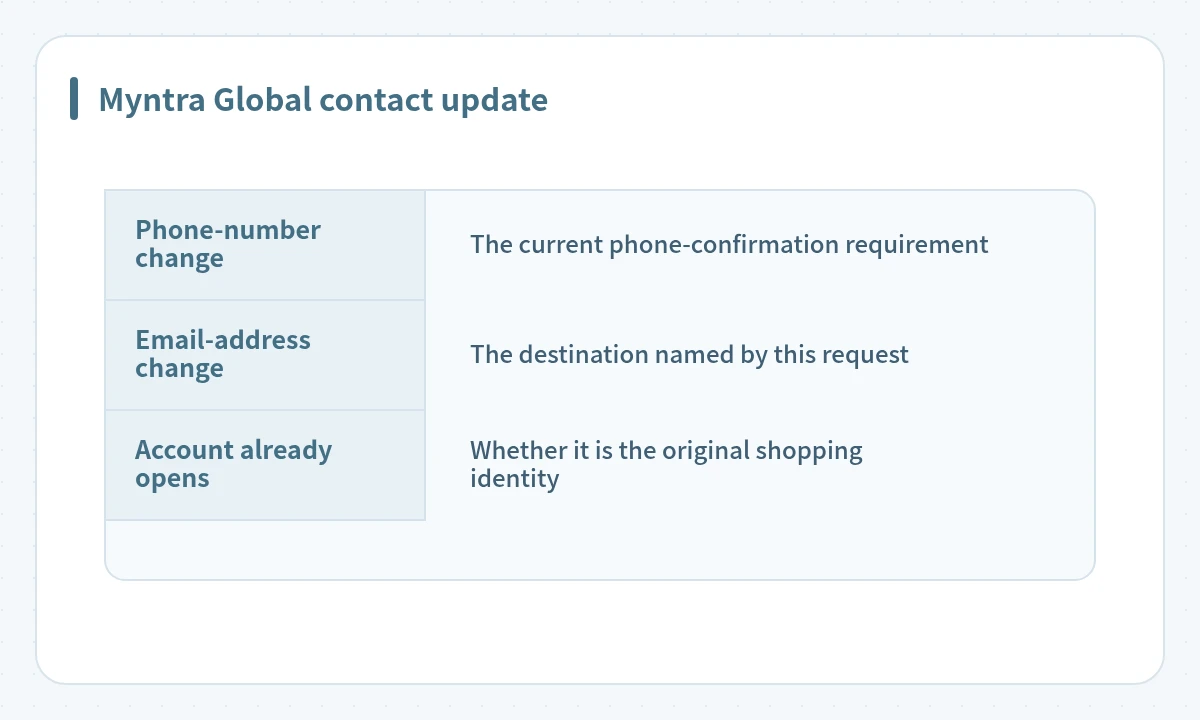
| Update task | What to inspect |
|---|---|
| Phone-number change | The current phone-confirmation requirement |
| Email-address change | The destination named by this request |
| Account already opens | Whether it is the original shopping identity |
Read the masked destination before entering a value
Check whether the named resource remains accessible. Updating contact information does not mean an arbitrary replacement address can stand in for the account's requested confirmation. If the old resource is unavailable, consult the relevant official help rather than trying unrelated values.
Handle one change at a time, inspect its saved result, then move to another field. Simultaneously editing phone and email while requesting from several pages makes it difficult to associate each message with the intended task.
For a multi-line phone, distinguish the number on the account from the line currently supplying internet access. A device working normally does not demonstrate that the requested destination is the one in your hand. Compare the actual input before attributing a missing message to delivery.
Check the original records after saving
Inspect the contact page for the intended value and then check expected account content. A value accepted in a field and a completed saved update are different outcomes. If the old information remains, preserve the notice instead of assuming that another text will save it.
Do not send codes to a private contact offering to change details for you. Support needs the region, field, request time, and whether receipt or submission failed; a public question does not need complete order or personal information.
Also distinguish a saved account contact from delivery information on an existing order. Use the relevant order-help route for an active shipment rather than assuming a profile edit rewrites every earlier record. Keeping the target specific shows whether the missing result is confirmation, saving, or practical delivery contact.
If you can still enter the original account, preserve that useful state while reading the current help. Signing out of all devices before establishing the destination can remove information you were able to inspect and make an otherwise narrow contact correction harder to explain.
For an unclear masked address, compare its visible characters with your own previous records before changing anything. A partially hidden destination should be investigated through the account context, rather than guessed from whichever inbox happens to be open.
References
Myntra Global Malaysia: Account contact information and OTP updates
