
Marktplaats verification codes can be required on a new device even after the password is accepted. The official help describes an additional SMS security check. Treat password acceptance and confirmation of the current access request as separate results, rather than interpreting the second screen as another password error.
Establish that this is your own sign-in
A different computer, browser, or location can introduce a confirmation you did not see during an earlier visit. Check that you started from the official entry and that the account identity and masked destination fit your original details. A familiar logo alone is not a reason to enter a private value on an arbitrary page.
If a message arrives when you did not try to sign in, do not forward it to somebody contacting you. Open the official account yourself to inspect the situation. Receipt of a text does not establish that an unsolicited caller is authorized to manage your access.
| Observation | Question to separate |
|---|---|
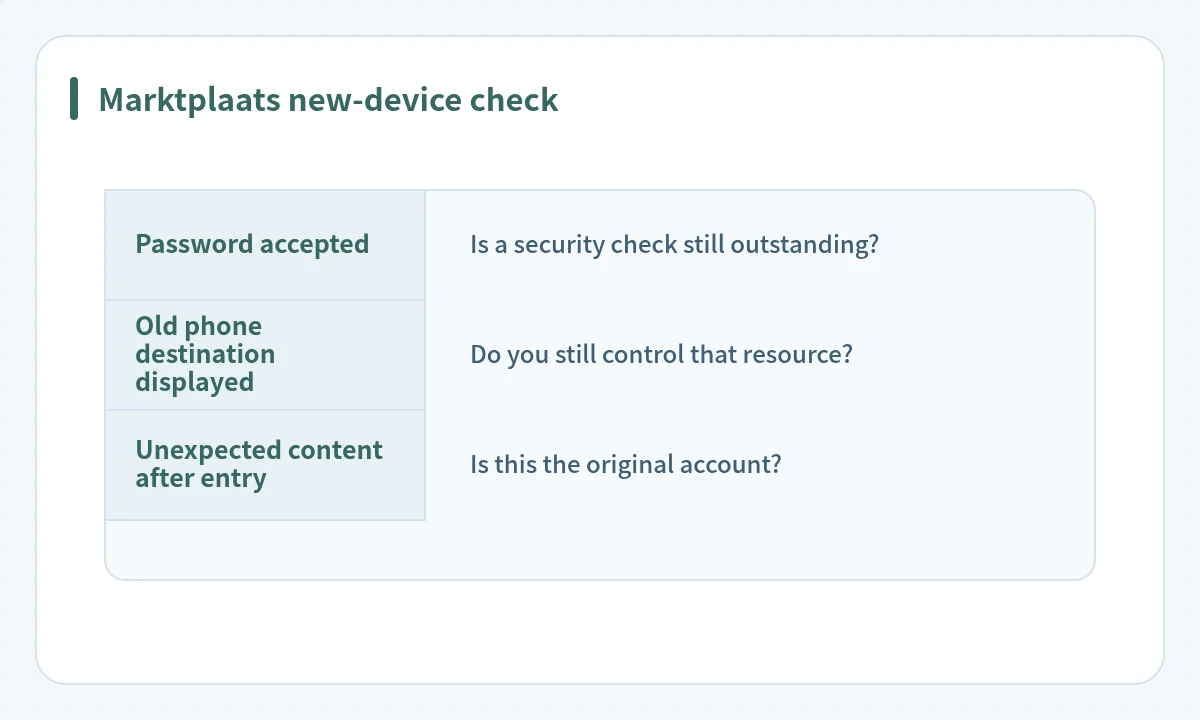
| Password accepted | Is a security check still outstanding? |
| Old phone destination displayed | Do you still control that resource? |
| Unexpected content after entry | Is this the original account? |
An unavailable old number is a resource problem
If the page targets a discontinued line, consult the official account and number help. Changing the computer does not alter the destination stored by the service. Creating a fresh identity also does not establish that earlier advertisements, messages, and details will appear there.
Where an older device still provides account access, preserve that useful state while checking security details and current help. Signing out of every device before investigating can remove your ability to inspect information that was previously available. Follow the official process for the particular field that needs updating.
Keep a private note of what the masked destination shows and whether the older session works. That is enough to frame a support question without collecting a folder of live access messages. The relevant issue is the resource you can use, not how many new texts you have requested.
Inspect the account after the value is accepted
Return to the window that produced the current request and read its result. Message arrival, a value being filled in, and entry into an account are different events. If submission is rejected, preserve the wording and follow the displayed next action instead of guessing another combination.
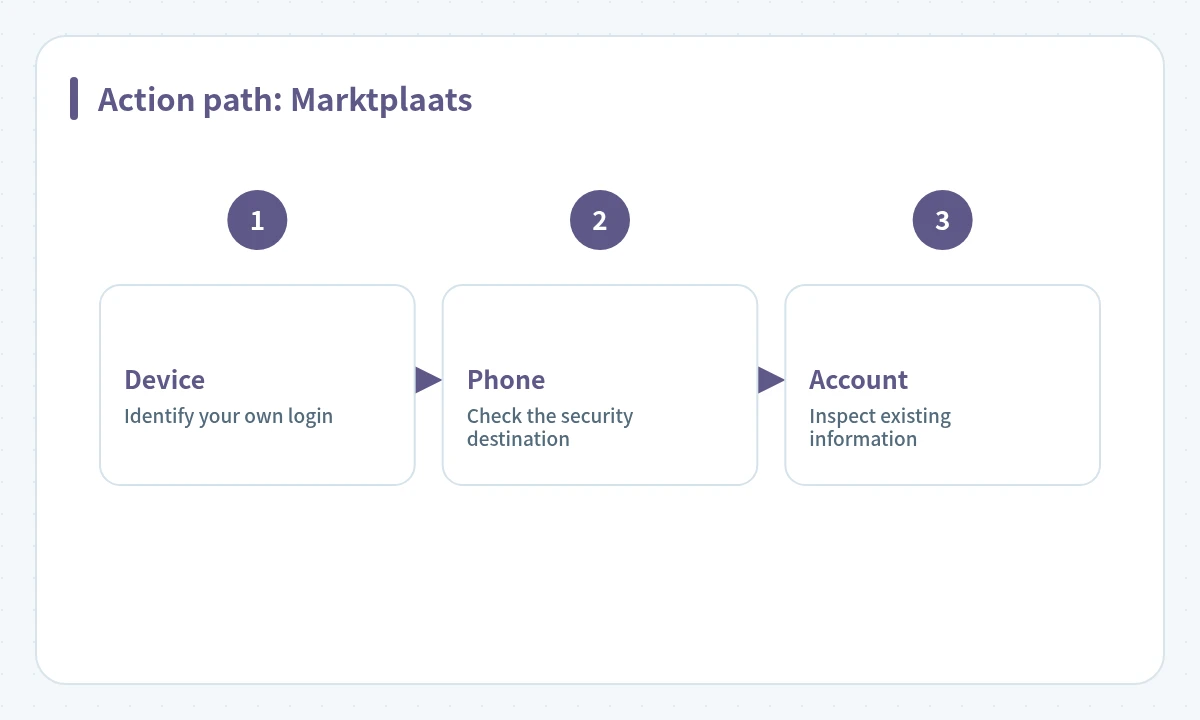
After entry, inspect your existing advertisements, messages, and profile before editing. An unexpected empty account is a reason to verify identity, not immediately copy old listings into a new place. Support should know the device, destination, remaining usable access, and actual stage that failed.
Hide full numbers and codes in screenshots and use the official help channel for necessary account details. An extra check on a new device does not prove that a trading partner has obtained your account. Equally, entering the account is not a guarantee about a particular transaction; its circumstances remain a separate matter to assess.
References
Marktplaats: SMS security and new-device access
