
HungerStation verification codes can complete account access while checkout still needs a delivery address. That does not necessarily indicate a failed phone step. The Saudi FAQ lists a valid mobile number and delivery address as requirements for ordering; entering an account and deciding where this order goes are separate tasks.
Identify whether the page has moved to checkout
If the screen still requests phone confirmation, address that active task. If it now displays an address, map, or service-location choice, inspect the order information. Repeating an already accepted phone request cannot supply the building, entrance, or other delivery details the page needs.
The address should represent the place where you will actually receive the order. For example, one building may have several entrances, and a saved address may belong to your previous location. Check the selected content rather than relying on the presence of your correct name at the top of the account.
| Missing outcome | Where to inspect |
|---|---|
| Phone confirmation | The active account-access prompt |
| This order's destination | Selected address and necessary instructions |
| Result after submission | The order record and its state |
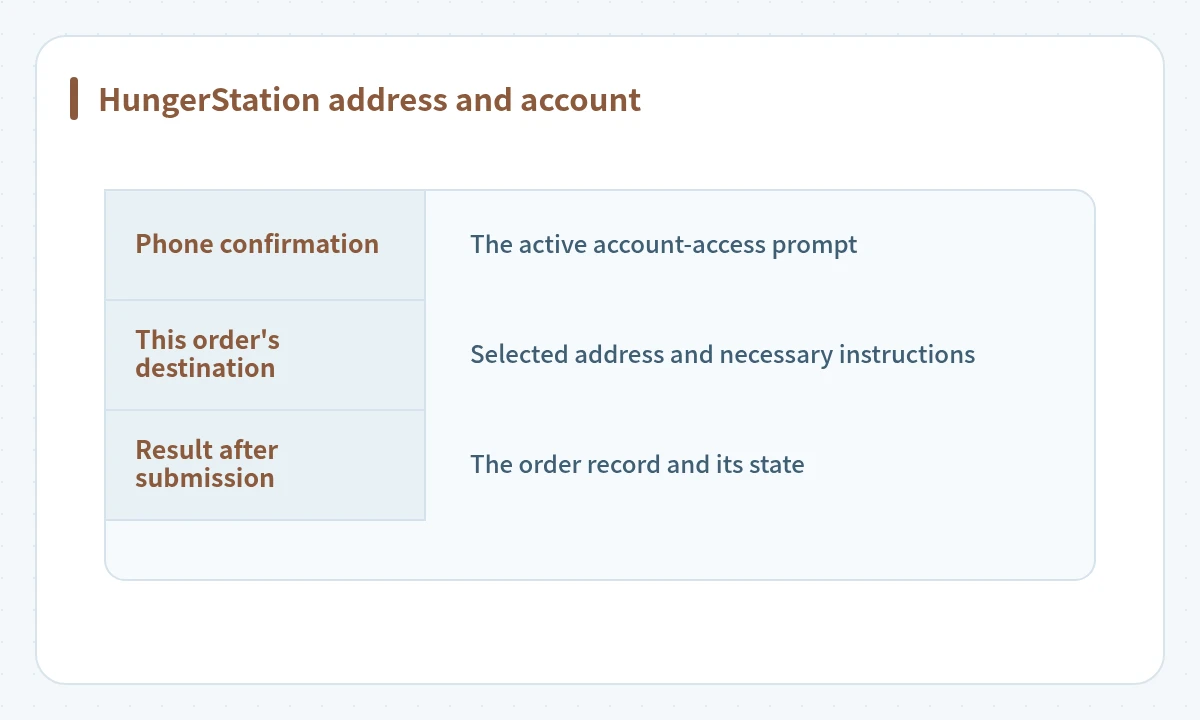
Read the address instead of inferring it from login
Being inside the account shows access to that identity at that point. It does not prove that the selected address is correct or that a merchant can serve any location. Continue from the choices currently shown for the order rather than assuming an earlier experience at another address applies.
Inspect an address label together with its details. Labels such as home or work are convenient shorthand, but they do not reveal whether the underlying location is still right. After moving or switching between saved places, verify the current selection before reviewing the rest of checkout.
If the map and written information appear inconsistent, pause before submission. Record which part looks wrong and correct the relevant field through the page. Starting another login request does not resolve that disagreement, and a successful text is not evidence that the map point moved.
Use the order record after submission
After submitting, inspect whether the corresponding order exists and what result is displayed. Do not immediately submit again merely because the interface returned to a map. The time, merchant, and order reference help distinguish an unsaved address from an order that was created but needs attention.
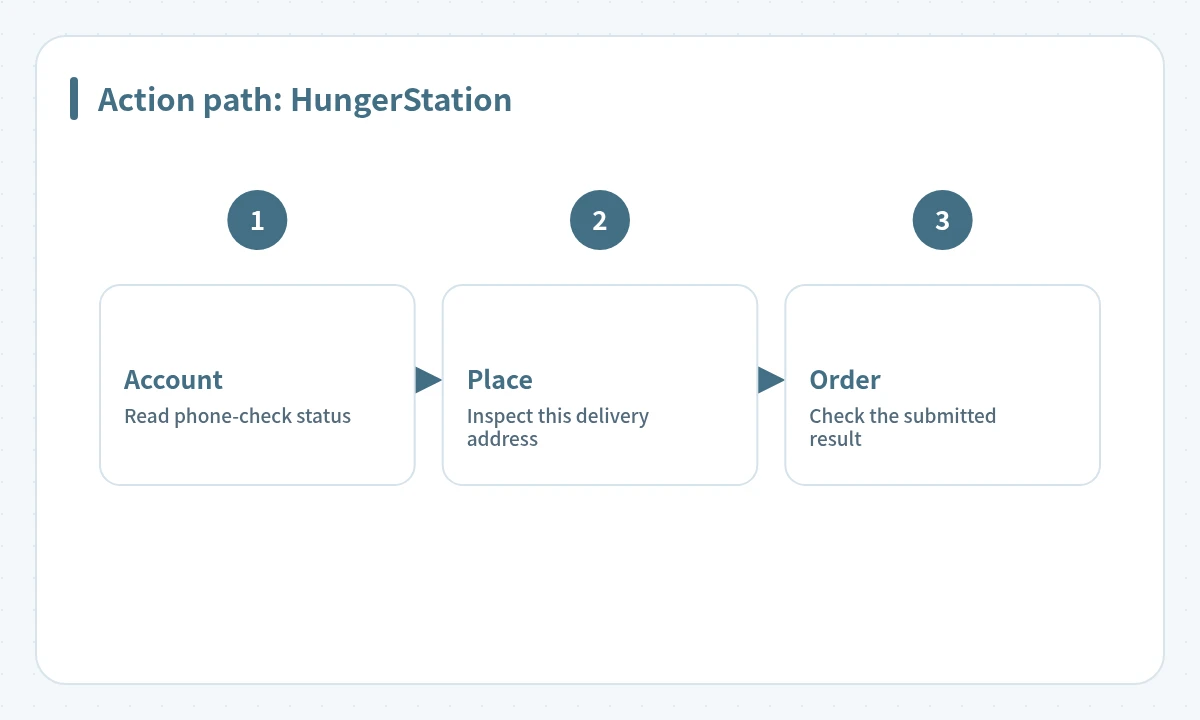
For details on an active order, use its official help route. Replacing the account phone should not be treated as a tool for rewriting an entire existing order. Explain which record is affected and provide necessary private information through the appropriate support process.
This guide separates account confirmation from delivery information. It does not promise coverage, prices, or arrival times. Even when both phone and address are entered, inspect the final order outcome. Describing the actual missing result gives support a better starting point than reporting every interruption as another failed verification text.
For a workplace delivery, check any instructions you genuinely need to provide for that building. Keep those practical details in the appropriate order field instead of adding private account credentials or unrelated personal information.
References
HungerStation Saudi Arabia: Registration and ordering FAQ
