
Missing GoFundMe verification codes should prompt a line-type check before a browser reset. GoFundMe's official help says its phone verification does not support VoIP numbers. Clearing cookies cannot turn such a line into a supported mobile number, so establish the destination and its type first.
Inspect the number behind the prompt
Read the destination displayed by the account, then confirm the line type with the provider if uncertain. Receiving messages from another website does not establish eligibility for this service. A number's familiar appearance is not enough to show how it is provisioned.
If the account still targets an old number, use official number-update help. Reinstalling an app on your new phone does not redirect a request addressed to a different line. Resolve the destination question before modifying otherwise working device settings.
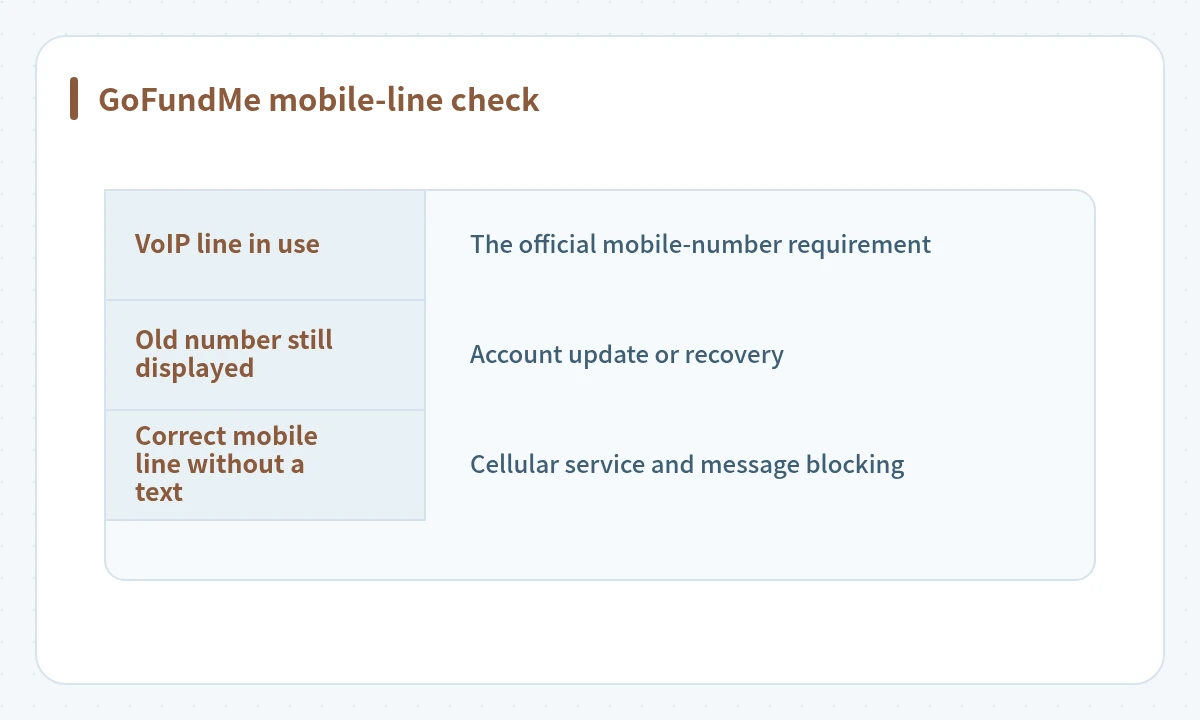
| Observation | First area to address |
|---|---|
| VoIP line in use | The official mobile-number requirement |
| Old number still displayed | Account update or recovery |
| Correct mobile line without a text | Cellular service and message blocking |
Check reception on the correct mobile line
Once the destination is a mobile you control, inspect cellular service and ask the carrier about possible message blocking. A page loading over Wi-Fi does not establish that the line currently has the mobile service needed to receive the text. This distinction matters after travel, a SIM change, or a switch between two lines.
GoFundMe's help also lists app, network, and browser troubleshooting options. Change one condition at a time and keep the original error wording. If a delayed message arrives after several simultaneous changes, you cannot confidently attribute the improvement to any single one of them.
Use a private note to record the request time and what you observed. The note should describe whether the page reported sending, whether the phone showed a message, and whether entry was accepted. It does not need to store the actual code.
When asking the carrier about blocking, distinguish a restriction on the line from a message filtered by the handset. Check the phone's message list as well as any carrier response, so these two possible locations are not reported as the same observation.
Keep a clear sequence when requesting again
The official help allows resending after ten minutes without a code and advises using the most recently received value when several arrive. Follow the live prompt rather than making parallel requests from several devices and mixing their results.
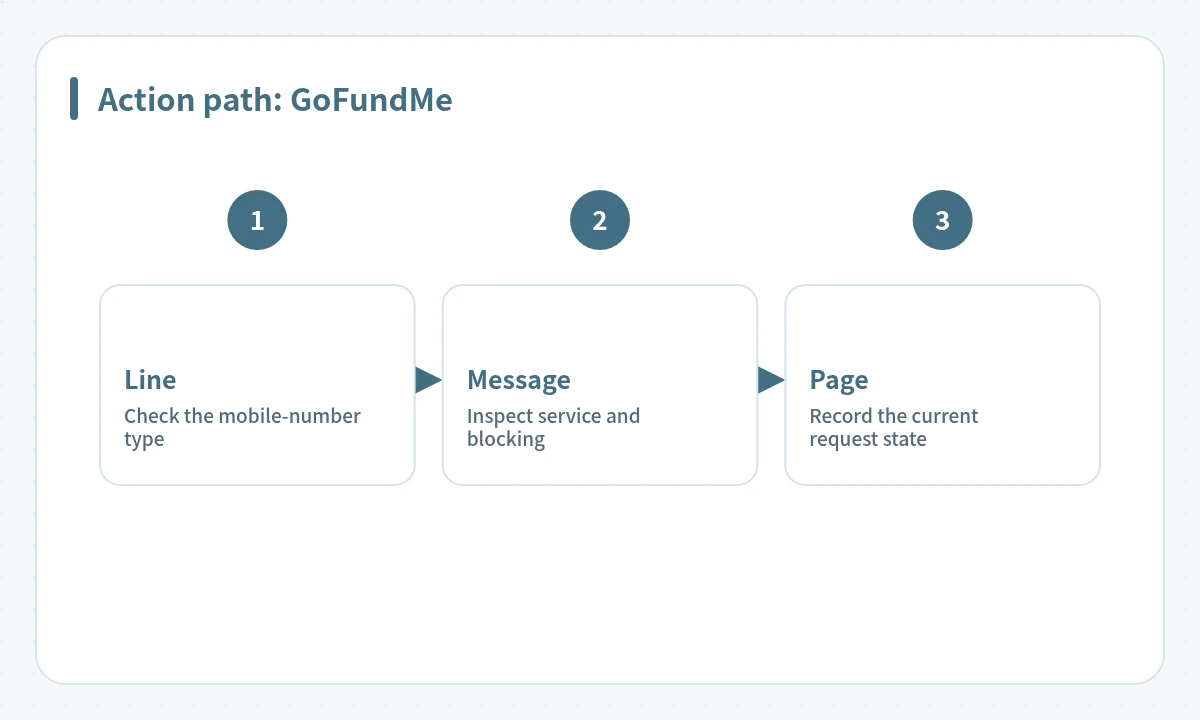
When seeking help, describe the line type, whether the destination is correct, request timing, and actual message receipt. Do not put complete codes, payment information, or identity documents into a public discussion. Additional ownership checks belong in the official private process.
This troubleshooting concerns account access, rather than fundraiser eligibility, transfer approval, or payment timing. If the code is accepted and the page then asks for other information, follow help for that task instead of assuming another SMS will settle it.
After access is restored, identify the function and status actually displayed. Entering the account establishes access at that point; it is not a statement about the completion of unrelated financial or administrative steps that may have their own requirements.
References
GoFundMe: Missing phone verification codes
