
Airtel verification codes in Xstream Play should be investigated according to the current number-confirmation prompt. Its official FAQ describes automatic identification in a relevant Airtel network context and manual OTP registration where identification does not occur. That does not establish that every device must show the same text-message step. Read the actual account and application state first.
Identify the Airtel product being used
This discussion concerns Xstream Play registration and number confirmation. Airtel billing, self-care and other products can have different entry points. Check the app name, version and task before following a tutorial. A familiar brand is not enough to establish that two pages share the same account flow.
For example, moving between network environments might be followed by a manual-confirmation prompt. Inspect the current number and instruction rather than assuming that an earlier session without an OTP field proves no future request should contain one. The previous result explains that earlier attempt, not every possible environment.
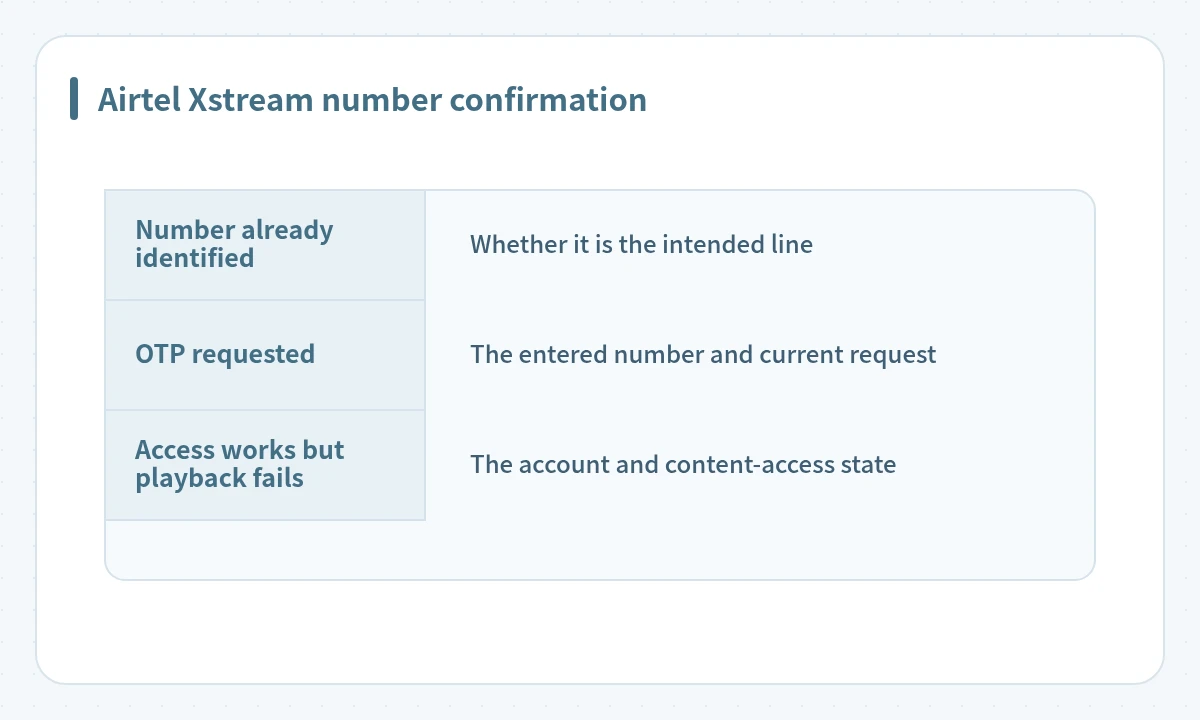
Classify the state before changing settings
| Current state | Information to inspect |
|---|---|
| Number already identified | Whether it is the intended line |
| OTP requested | The entered number and current request |
| Access works but playback fails | The account and content-access state |
The automatic-identification description has a network and application context. It is not permission to skip a current requirement. Where the current version presents a different official route, follow that interface or ask the relevant support team instead of forcing an old menu sequence.
Inspect the line used for a manual request
On a multi-SIM phone or after changing networks, compare the number shown with the line intended for the account. Mobile data working does not establish that the app has selected the identity you expected. Network connectivity and account identity need separate observations before delivery can be evaluated meaningfully.
If receipt is genuinely blocked, check the entered destination, filtering and page response. Distinguish a request rejected before sending from a message absent after the request proceeds. Avoid simultaneously requesting values for several numbers and then entering whichever notification arrives first; that makes the result difficult to interpret.
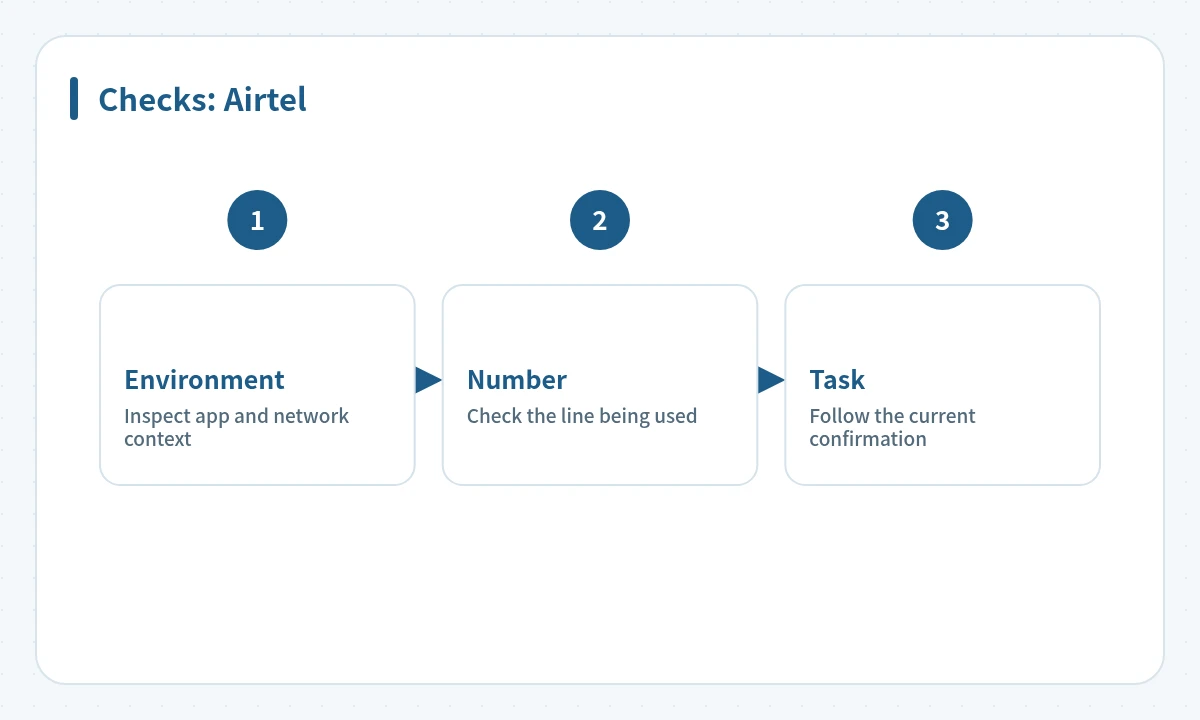
Treat playback as a separate result
The official FAQ discusses registration and content access separately. After number confirmation, failure to watch a particular item should not immediately trigger another registration or repeated OTP requests. Inspect the active identity, visible content message and actual access arrangement, then consult the corresponding product help.
For support, identify Xstream Play, the app version, network context and failure stage. Supply the time and masked error rather than the complete code. If an unexpected number is recognized, stop before continuing and inspect the official account context. Successful progress through a screen is not a reason to accept an unintended identity.
Finish by checking that the expected account is open and then testing the content task that mattered. Record automatic identification, manual confirmation and playback as distinct observations. This avoids describing three different issues as a single failed text message and leaves a clear question if official support needs to investigate further.
References
Airtel Xstream Play: registration, number identification and OTP FAQ.
